Why Donate?
your impact, by the numbers
RiceApps is a student-run organization that builds free software for Houston nonprofits and the Rice community. This year we shipped nine projects, grew to 97 members, and partnered with nonprofits like Texas Hearing Institute, Eight Million Stories, and Air Alliance Houston — all at no cost to our clients. Your donation helps us do even more.
What Your Gift Funds
- —Software infrastructure — hosting, APIs, and developer tooling
- —Design resources and UI/UX software for our project teams
- —Launchpad program — teaching web development to students without prior SWE experience
- —Recruitment events and higher-quality project showcases
- —Team bonding and mentorship connecting underclassmen with upperclassmen
Who We Serve
This year, five of our projects served Rice students directly — including a semantic search engine for REMS emergency response, a student marketplace, and a DMC equipment checkout tool. Four more served Houston nonprofits: Texas Hearing Institute, Eight Million Stories, Air Alliance Houston, and others.
Every dollar donated stays within Rice's giving platform and directly supports RiceApps operations.
Sponsor Us
our sponsorship tiers
Everything we do is entirely free of charge, made possible by our sponsors — and this could be you. Below are the perks.
- —Sponsor name and logo on website as an official Gold Alliance sponsor
- —Sponsor logo on all future RiceApps merchandise (flyers, banners, T-shirts, etc)
+ all of Silver & Bronze.
- —Name & logo on website
- —Name, logo & shoutout at events (500+ attendees)
- —Exclusive recruiting access to RiceApps' selective cohort
+ all of Bronze.
- —Resume Book access
- —Name & logo on website
- —Name & logo at club fair
- —Shoutout & invite to Spring Showcase (100+ attendees)
Ready to give? Follow the steps below to get started.
How to Donate
four steps to give
Donations are processed through Rice University's official giving platform at giving.rice.edu. Follow the steps below to direct your gift to RiceApps.
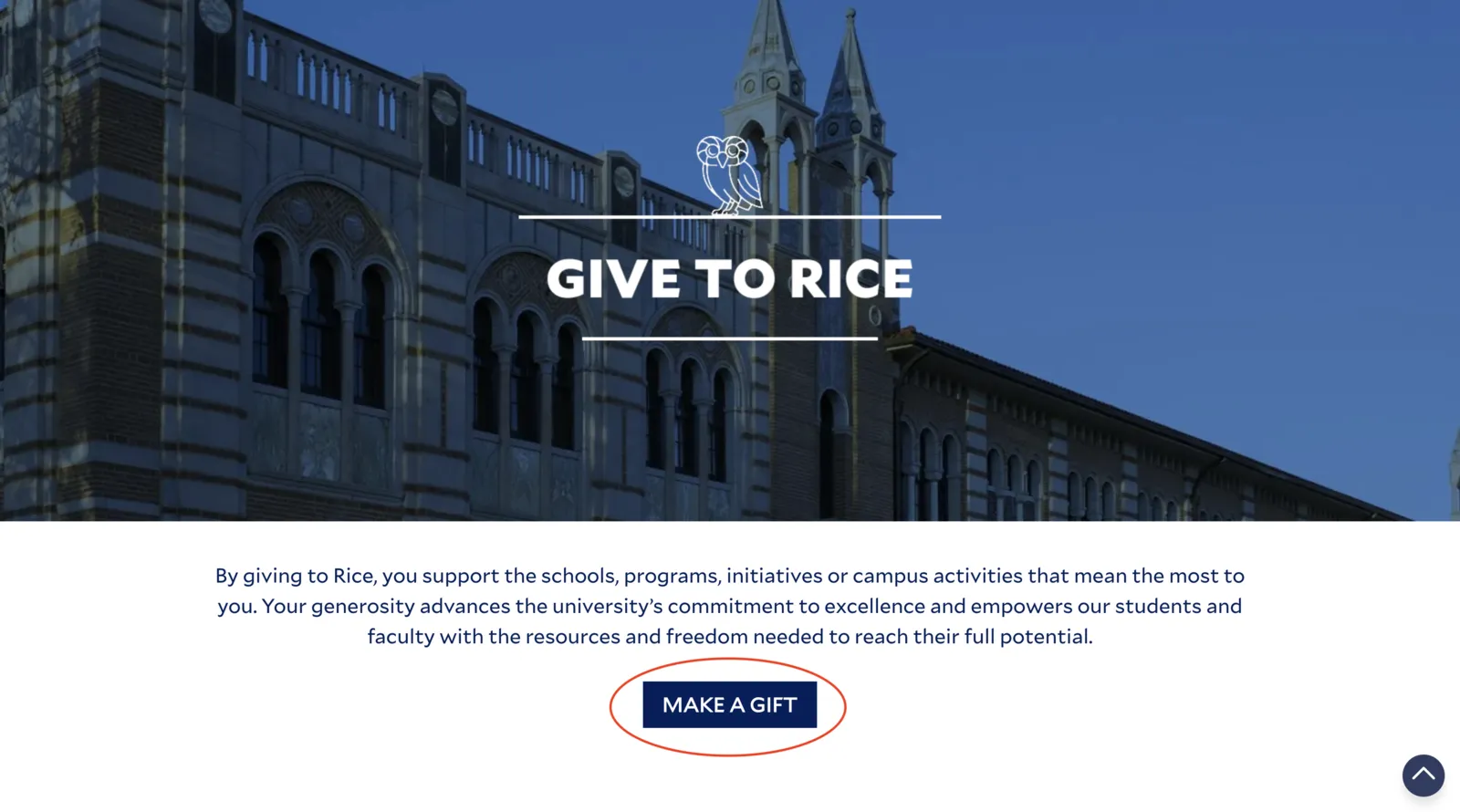
Click "Make a Gift"
Visit giving.rice.edu and click the "Make a Gift" button to open the donation form.
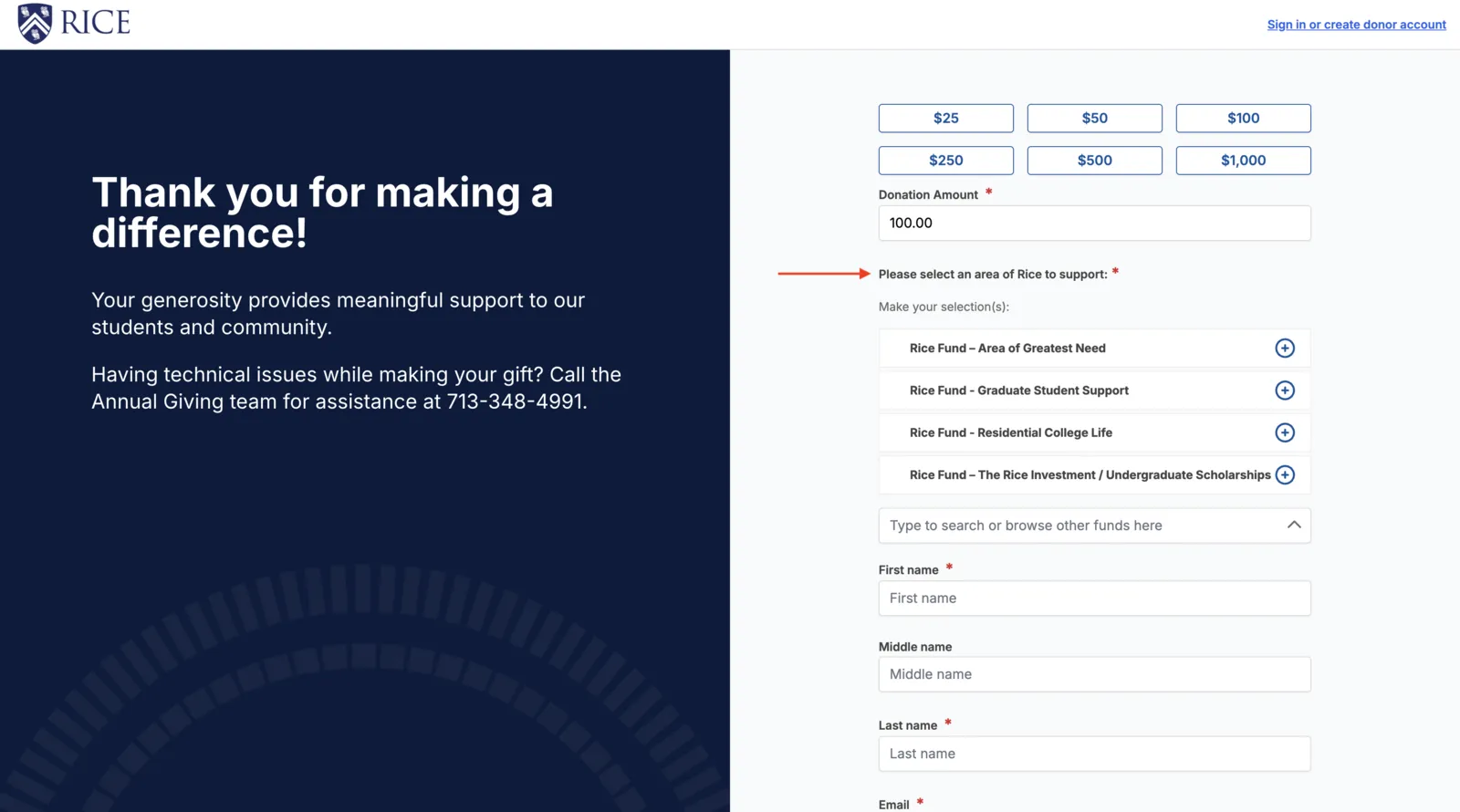
Find the area selector
Scroll to "Please select an area of Rice to support" and click the search box that reads "Type to search or browse other funds here".
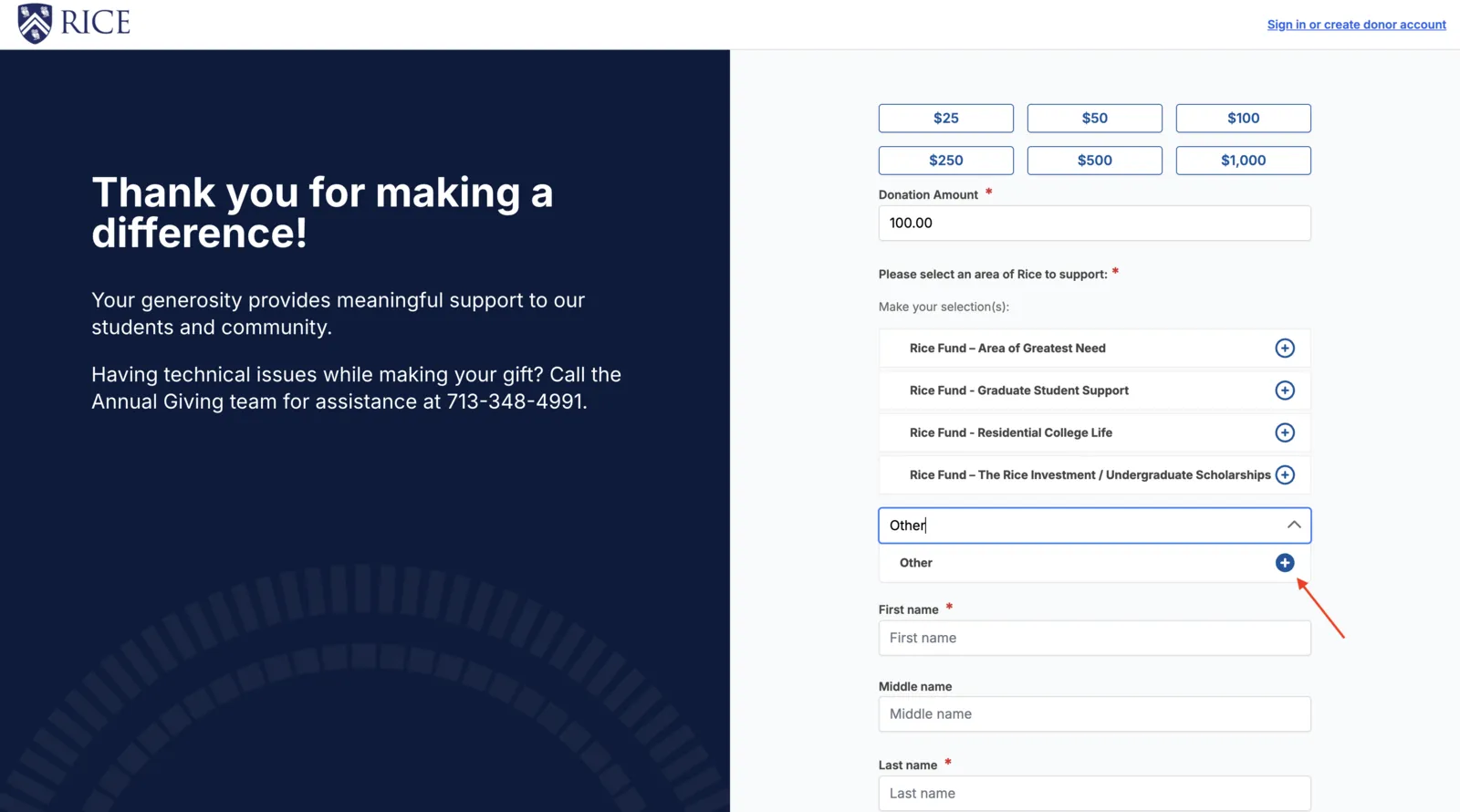
Search for "Other" and select it
Type "Other" in the search box. When the "Other" option appears, click the + button to select it.
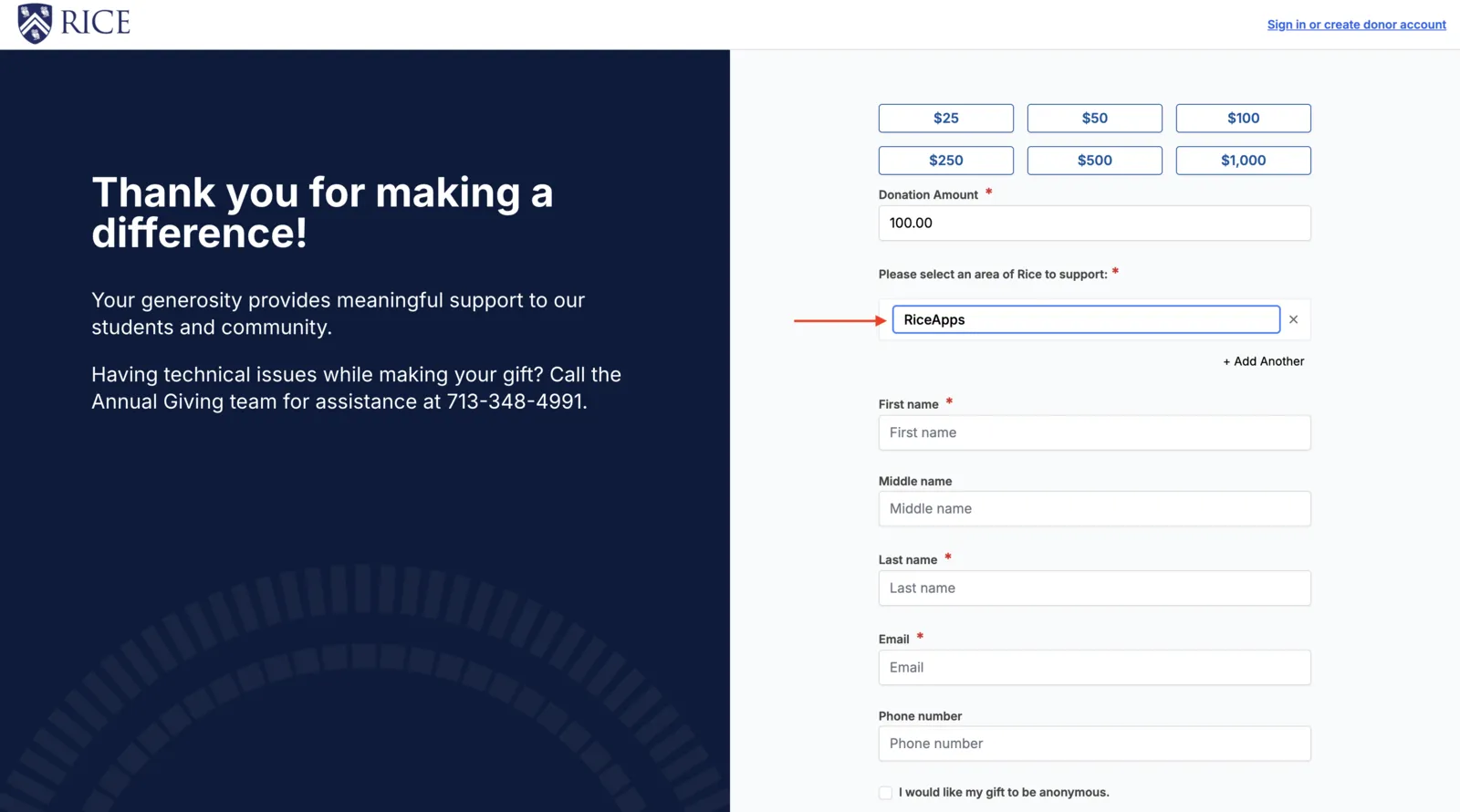
Type "RiceApps"
A text field will appear. Type "RiceApps" to direct your gift to our organization, then fill in your personal info and complete the gift.